Configuration
config.json 文件是插件的配置文件,包含将插件注册到编辑器中所需的主要信息。
baseUrl
类型: string
插件路径。所有其他路径都相对于此路径进行计算。如果 baseUrl == "",则默认使用 sdkjs-plugins 文件夹中的插件路径。
示例: ""
group
类型: object
插件所在的分组,在插件选项卡中用于与其他插件区分。第一组通常包含插件管理器和后台插件。其他插件则出现在第二组。你可以根据需要添加任意数量的分组。如果省略该参数,插件将被添加到最后一个分组中。
示例:
{
  "name": "group name",
  "rank": 2
}
group.name
类型: string
分组名称。
示例: "group name"
group.rank
类型: number
插件在插件选项卡中的分组顺序,从整数 1 开始。
示例: 2


guid
类型: string
插件标识符,必须为 asc.{UUID} 类型。
示例: "asc.{FFE1F462-1EA2-4391-990D-4CC84940B754}"
help
类型: string
插件帮助页面的路径。如果设置该参数,插件窗口中将显示帮助按钮。用户点击该按钮时,会跳转到插件的帮助页面。
示例: "url_to_help_page"


minVersion
类型: string
支持当前插件的最低编辑器版本。
示例: "6.3.0"
name
类型: string
插件名称,将显示在插件工具栏中。
示例: "plugin name"
nameLocale
类型: localeTranslate
插件名称的多语言翻译。对象的键为两位语言代码(如 ru、de、it 等),值为各语言对应的插件名称的翻译。
示例: { "fr": "french plugin name" }
localeTranslate
类型: object
文本字段的多语言翻译。对象的键为两位语言代码(如 ru、de、it 等),值为各语言对应的按钮标签翻译。
示例:
{
  "variations": [
    {
      "name": "plugin name",
      "nameLocale": {
        "fr": "french plugin name",
        "es": "spanish plugin name"
      }
    }
  ]
}
offered
类型: string
提交该插件以供发布的插件作者。
示例: "John Smith"
onlyofficeScheme
类型: boolean
指定该插件是否包含在标有 ONLYOFFICE 品牌的服务器版或桌面版中。
示例: true
variations
类型: array of object
插件变体(或子插件),是在原始插件内部创建的子模块。详见此处。
示例:
[
  {
    "buttons": [
      {
        "text": "Cancel",
        "primary": false,
        "isviewer": false,
        "textLocale": {
          "fr": "Annuler",
          "es": "Cancelar"
        }
      }
    ],
    "cryptoDisabledForExternalCloud": "true",
    "cryptoDisabledForInternalCloud": "true",
    "cryptoDisabledOnStart": "true",
    "cryptoMode": "1",
    "description": "plugin description",
    "descriptionLocale": {
      "fr": "french plugin description",
      "es": "spanish plugin description"
    },
    "EditorsSupport": ["word", "cell", "slide", "pdf"],
    "events": ["onClick"],
    "icons": "url_to_icon",
    "initData": "",
    "initDataType": "ole",
    "initOnSelectionChanged": true,
    "isCustomWindow": true,
    "isDisplayedInViewer": true,
    "isUpdateOleOnResize": true,
    "isViewer": true,
    "size": [600, 700],
    "store": {
      "background": {
        "light": "#F5F5F5",
        "dark": "#444444"
      },
      "categories": ["specAbilities", "work"],
      "icons": {
        "light": "resources/store/icons",
        "dark": "resources/store/icons"
      },
      "screenshots": ["resources/store/screenshots/screen_1.png"]
    },
    "type": "background",
    "url": "index.html"
  }
]
variations.buttons
类型: array of Button
插件界面中使用的可换肤按钮列表。该参数仅适用于插件窗口和面板类型的插件,即当 type 参数为 window、panel 或 panelRight 时使用。
示例:
[
  {
    "text": "Cancel",
    "primary": false,
    "isviewer": false,
    "textLocale": {
      "fr": "Annuler",
      "es": "Cancelar"
    }
  }
]


Button
类型: object
该可换肤插件按钮用于插件界面(仅用于具有独立窗口的可视插件,即 isVisual == true 且 isInsideMode == false)。
| 名称 | 类型 | 描述 |
|---|---|---|
| text | string | 按钮上显示的标签。 |
| primary | boolean | 定义按钮是否为主按钮。主按钮标记仅影响按钮的皮肤样式。 |
| isViewer | boolean | 定义按钮是否仅在查看模式下显示。 |
| textLocale | localeTranslate | text 字段的翻译。对象的键为两字母语言代码(如 ru、de、it 等),值为对应语言的按钮标签翻译。 |
示例:
{
  "variations": [
    {
      "buttons": [
        {
          "text": "Cancel",
          "primary": false,
          "isviewer": false,
          "textLocale": {
            "fr": "Annuler",
            "es": "Cancelar"
          }
        }
      ]
    }
  ]
}
variations.cryptoDisabledForExternalCloud
类型: string
指定是否禁用第三方云的加密。
示例: "true"
variations.cryptoDisabledForInternalCloud
类型: string
指定是否禁用本地文件的加密。
示例: "true"
variations.cryptoDisabledOnStart
类型: string
指定是否在启动时禁用加密。
示例: "true"
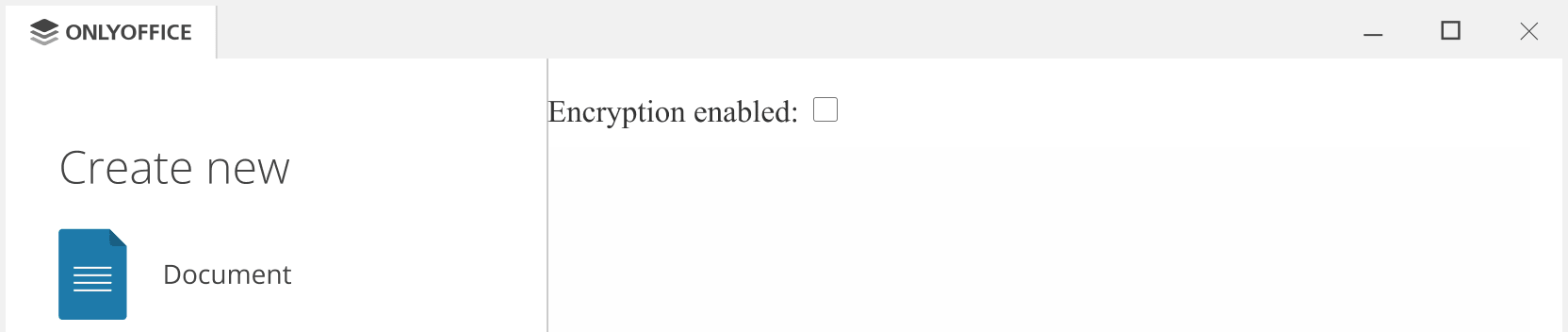
variations.cryptoMode
类型: string
加密模式。可用值:
- 0 - 无(加密被禁用);
- 1 - 简单;
- 2 - 高级。
示例: "1"
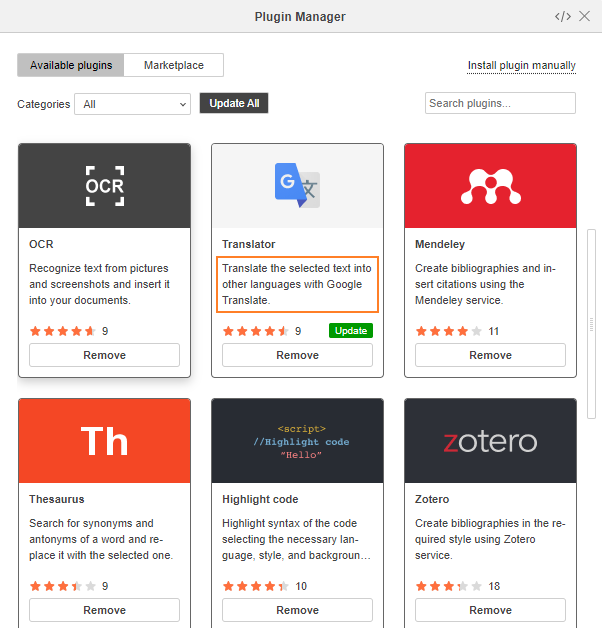
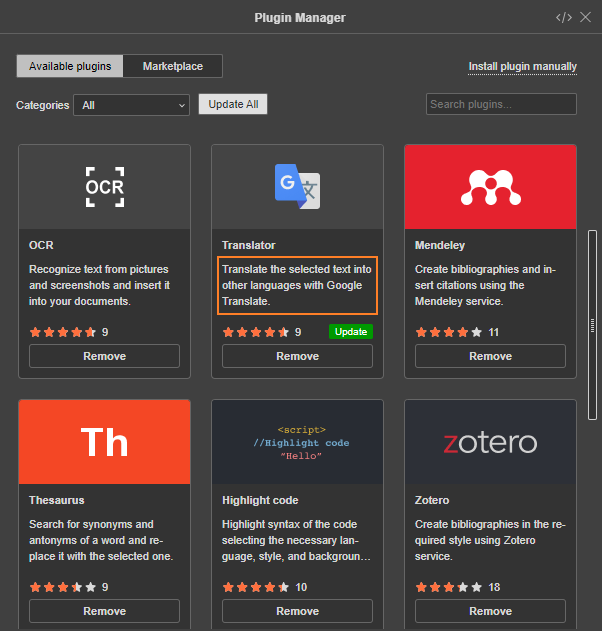
variations.description
类型: string
描述,即最能描述你插件的内容。将显示在 ONLYOFFICE 插件市场。
示例: "plugin description"
variations.descriptionLocale
类型: localeTranslate
对描述字段的翻译。对象的键为两字母语言代码(fr、de、it 等),值为对应语言的插件描述翻译。
示例: { "fr": "french plugin description" }
variations.EditorsSupport
类型: array of editorType
插件可用的编辑器(word、cell、slide 或 pdf)。默认值为 []。
示例: ["word"]
editorType
插件可用的编辑器:
word- 文本文档编辑器,cell- 电子表格编辑器,slide- 演示文稿编辑器,pdf- PDF 编辑器。
示例:
{
  "variations": [
    {
      "EditorsSupport": ["word", "cell", "slide"]
    }
  ]
}
variations.events
类型: array of EventType
从版本 8.2 开始,请改用 attachEditorEvent 方法,该方法不需要此参数。
当前插件代码中使用的插件事件。了解如何订阅事件,请参见这里。
示例: ["onClick"]
EventType
类型: string
插件事件(如 "onDocumentContentReady"、"onTargetPositionChanged"、"onClick"、"onInputHelperClear"、"onInputHelperInput" 等)。
示例:
{
  "variations": [
    {
      "events": ["onClick"]
    }
  ]
}
variations.icons
类型: string
插件图标图片文件的 URL。该 URL 允许你为主题(名称、类型)、样式(普通、悬停、激活)和缩放设置自定义规则。更多信息见这里。
示例: "url_to_icon"
variations.icons2
类型: array of object
请改用 variations.icons 参数。
用于插件扩展的可缩放图标。更多信息见这里。
示例: [{ "100%": { "normal": "icon.png" } }]
variations.initData
类型: string
编辑器启动插件时发送给插件的数据。该参数通常为 ""。如果 initDataType == "text",插件启动时将接收选中的文本。加密插件中也可能等于 encryption。
示例: "text"
variations.initDataType
类型: initDataType
编辑器中选定并发送给插件的数据类型(text、html、ole、desktop、desktop-external、sign 或 none)。
示例: "ole"
initDataType
编辑器中选定并发送给插件的数据类型:
text- 文本数据,html- HTML 格式代码,ole- OLE 对象数据,desktop- 桌面编辑器数据,desktop-external- 桌面应用主页面数据(系统消息),none- 编辑器不会向插件发送任何数据,sign- 钥匙串插件的签名。
示例:
{
  "variations": [
    {
      "initDataType": "ole"
    }
  ]
}
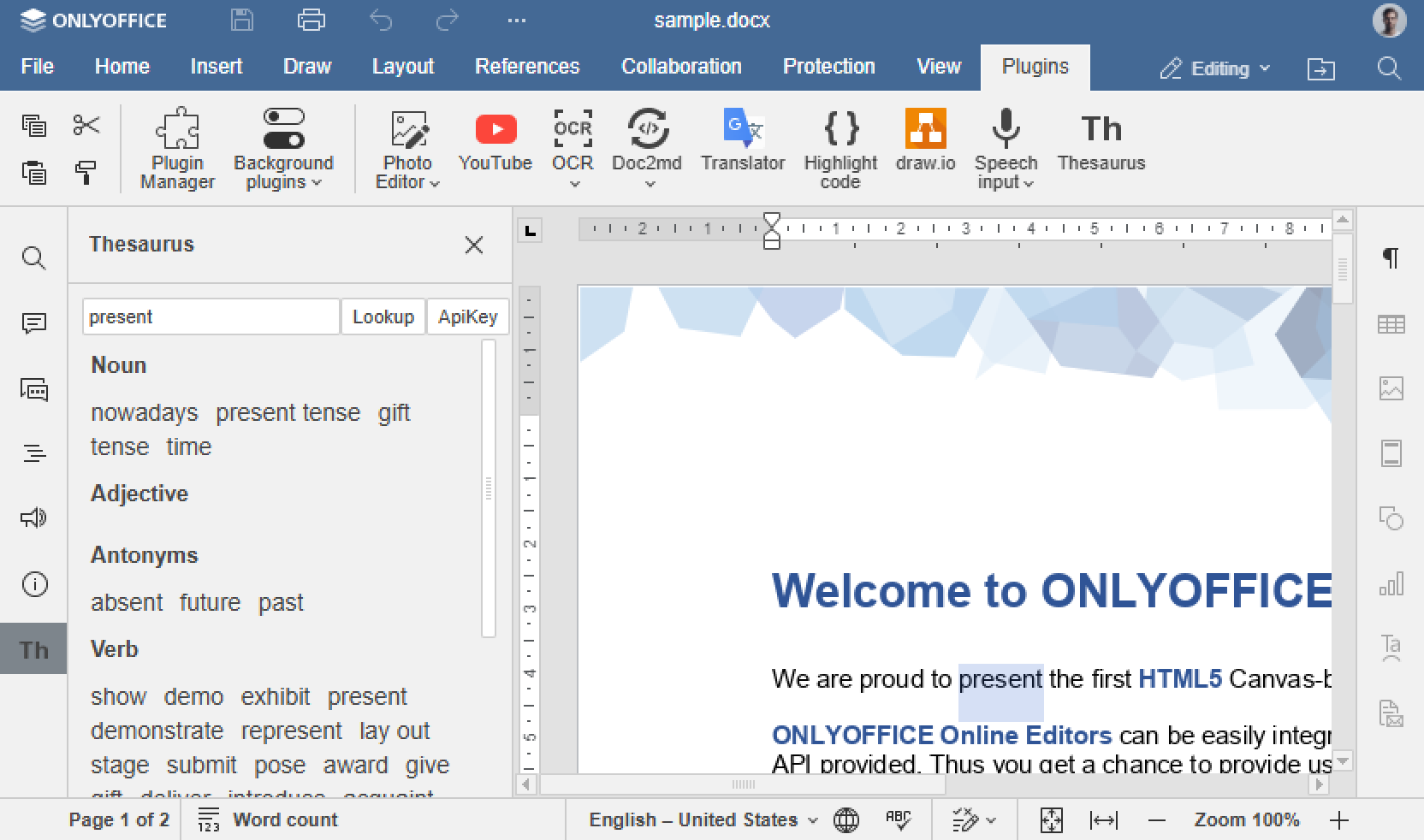
variations.initOnSelectionChanged
类型: boolean
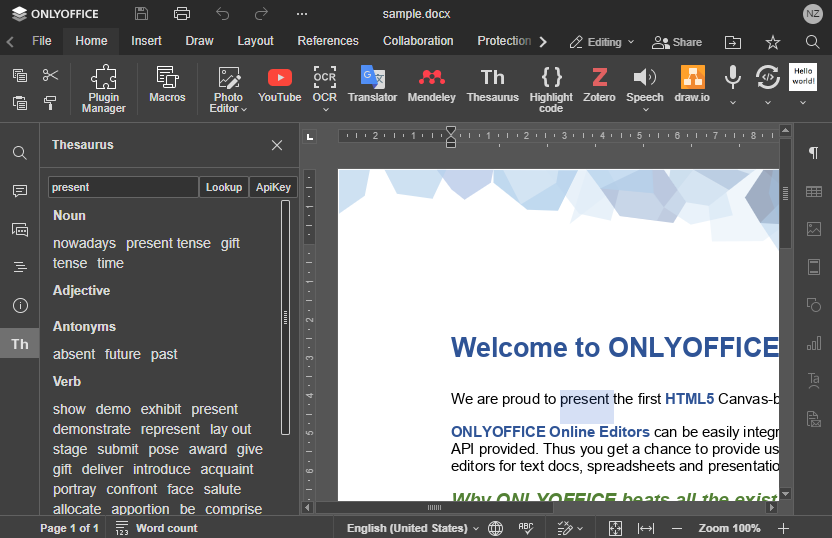
指定插件是否监听编辑器窗口中的文本选区事件。当插件处理选中文本且输出会随选区变化而改变时,该参数设置为 true。例如,翻译器插件会显示选中文本的翻译。
示例: true
variations.isCustomWindow
类型: boolean
指定插件是否使用无标准边框和按钮的自定义窗口(仅在 type == "window" 时使用)。
示例: true
variations.isDisplayedInViewer
类型: boolean
指定插件是否同时在查看器模式和编辑器模式中显示(isDisplayedInViewer == true),或仅在编辑器模式中显示(isDisplayedInViewer == false)。
示例: true
variations.isInsideMode
类型: boolean
请改用 type 参数。
指定插件是否必须显示在编辑器面板内,而非独立窗口。
示例: true
variations.isModal
类型: boolean
请改用 type 参数。
指定打开的插件窗口是否为模态窗口(仅用于可视插件,且当 isInsideMode 不为 true 时)。
示例: true
variations.isSystem
类型: boolean
请改用 type 参数。
指定插件是否不在编辑器界面显示,并随服务器(或桌面编辑器启动)后台启动,不干扰其他插件,使它们能同时工作。此类插件无法在编辑器窗口中禁用。
示例: false
variations.isUpdateOleOnResize
类型: boolean
指定在编辑器中使用矢量对象绘制类型调整 OLE 对象大小时,是否必须重绘该对象(仅用于 OLE 对象,即 initDataType == "ole")。
示例: true
variations.isViewer
类型: boolean
指定插件是否仅在文档以查看器模式时生效。默认值为 false。
示例: false
variations.isVisual
类型: boolean
请改用 type 参数。
指定插件是否为可视插件(会打开窗口进行操作,或在编辑器面板引入某些扩展)或非可视插件(提供按钮对文档进行某些转换或操作)。
示例: true
variations.menu
类型: string
请改用 type 参数。
指定插件放置位置(右侧或左侧面板)。
示例: "right"
variations.screens
类型: array of string
请改用 variations.store.screenshots 参数。
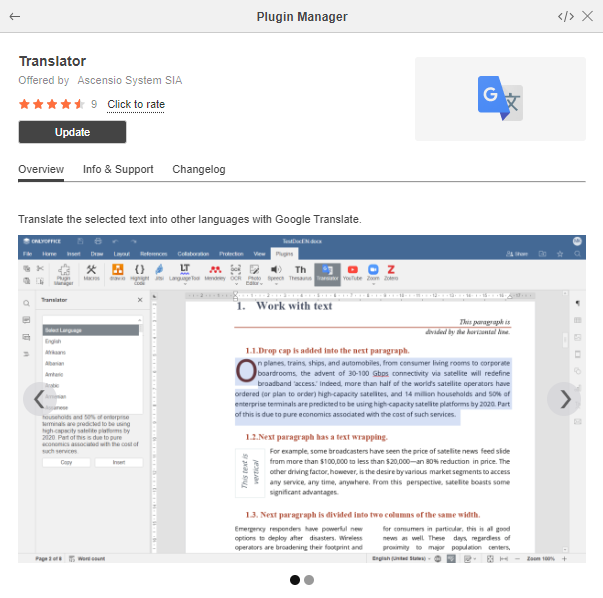
插件在 ONLYOFFICE 插件市场中描述用的截图图片文件。
示例: ["resources/store/screenshots/screen_1.png"]
variations.size
类型: array of number
插件窗口尺寸,单位为像素。仅在 type == "window" 时使用。
示例: [600]
variations.store
类型: object
插件在 ONLYOFFICE 插件市场中的展示选项。
示例:
{
  "background": {
    "light": "#F5F5F5",
    "dark": "#444444"
  },
  "categories": ["specAbilities", "work"],
  "icons": {
    "light": "resources/store/icons",
    "dark": "resources/store/icons"
  },
  "screenshots": ["resources/store/screenshots/screen_1.png"]
}
variations.store.background
类型: object
ONLYOFFICE 插件市场中插件图标使用的背景颜色。
示例:
{
  "light": "#F5F5F5",
  "dark": "#444444"
}
variations.store.background.light
类型: string
浅色主题下插件图标使用的背景颜色。
示例: "#F5F5F5"

variations.store.background.dark
类型: string
深色主题下插件图标使用的背景颜色。
示例: "#444444"

variations.store.categories
类型: array of string
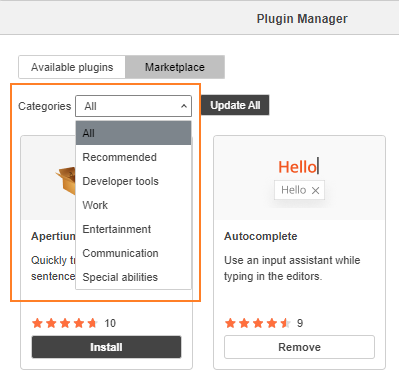
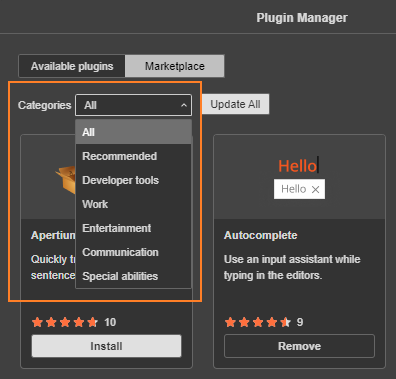
ONLYOFFICE 插件市场中的插件分类:
- "all" - 全部,
- "recommended" - 推荐,
- "devTools" - 开发者工具,
- "work" - 工作,
- "entertainment" - 娱乐,
- "communication" - 通讯,
- "specAbilities" - 特殊功能。
示例: ["specAbilities", "work"]
variations.store.icons
类型: object
ONLYOFFICE 插件市场中使用的插件图标图片文件路径。
示例:
{
  "light": "resources/store/icons",
  "dark": "resources/store/icons"
}
variations.store.icons.light
类型: string
浅色主题下可缩放插件图标的路径。不同缩放比例的图标文件命名方式如下:
- 100% -
icon.png - 125% -
icon@1.25.png - 150% -
icon@1.5x.png - 175% -
icon@1.75.png - 200% -
icon@2x.png
示例: "resources/store/icons"
variations.store.icons.dark
类型: string
深色主题下可缩放插件图标的路径。不同缩放比例的图标文件命名方式如下:
- 100% -
icon.png - 125% -
icon@1.25.png - 150% -
icon@1.5x.png - 175% -
icon@1.75.png - 200% -
icon@2x.png
示例: "resources/store/icons"
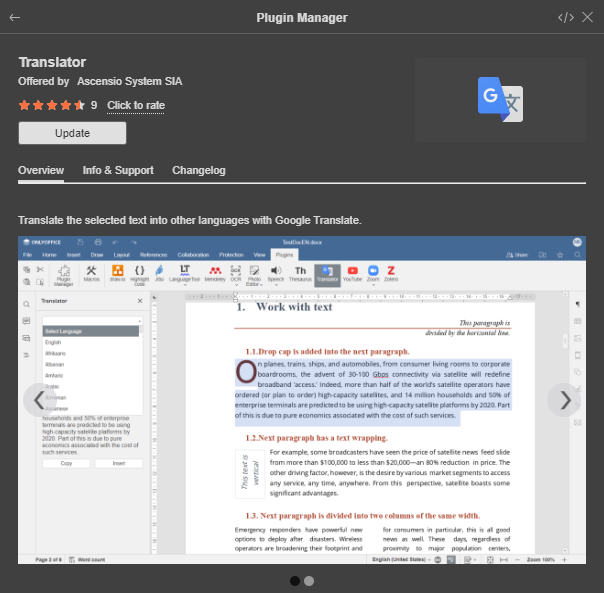
variations.store.screenshots
类型: array of string
用于 ONLYOFFICE 插件市场插件描述的图片。
示例: ["resources/store/screenshots/screen_1.png"]
variations.type
类型: string
插件类型。可用值:
- system - 不显示在编辑器界面中,随服务器(或桌面编辑器启动)后台启动。无法禁用。
- background - 启动后持续运行,其状态(启用/禁用)在会话间保持。
- window - 启动时作为独立窗口运行。
- panel - 在左侧面板打开。
- panelRight - 在右侧面板打开。
- unvisible - 启动时不可见,但之后可以创建窗口。
示例: "background"
任何类型的插件在运行过程中都可以创建窗口和选项卡。
variations.url
类型: string
插件入口,即连接 plugin.js 文件(插件工作的基础文件)并启动插件代码的 HTML 文件。详见 index.html 部分。
示例: "index.html"
version
类型: string
插件版本号。
示例: "1.0"
Example
{
  "baseUrl": "",
  "group": {
    "name": "group name",
    "rank": 2
  },
  "guid": "asc.{FFE1F462-1EA2-4391-990D-4CC84940B754}",
  "help": "url_to_help_page",
  "minVersion": "6.3.0",
  "name": "plugin name",
  "nameLocale": {
    "fr": "french plugin name",
    "es": "spanish plugin name"
  },
  "offered": "John Smith",
  "onlyofficeScheme": true,
  "variations": [
    {
      "buttons": [
        {
          "text": "Cancel",
          "primary": false,
          "isviewer": false,
          "textLocale": {
            "fr": "Annuler",
            "es": "Cancelar"
          }
        }
      ],
      "cryptoDisabledForExternalCloud": "true",
      "cryptoDisabledForInternalCloud": "true",
      "cryptoDisabledOnStart": "true",
      "cryptoMode": "1",
      "description": "plugin description",
      "descriptionLocale": {
        "fr": "french plugin description",
        "es": "spanish plugin description"
      },
      "EditorsSupport": ["word", "cell", "slide", "pdf"],
      "events": ["onClick"],
      "icons": "url_to_icon",
      "initData": "",
      "initDataType": "ole",
      "initOnSelectionChanged": true,
      "isCustomWindow": true,
      "isDisplayedInViewer": true,
      "isUpdateOleOnResize": true,
      "isViewer": true,
      "size": [600, 700],
      "store": {
        "background": {
          "light": "#F5F5F5",
          "dark": "#444444"
        },
        "categories": ["specAbilities", "work"],
        "icons": {
          "light": "resources/store/icons",
          "dark": "resources/store/icons"
        },
        "screenshots": ["resources/store/screenshots/screen_1.png"]
      },
      "type": "background",
      "url": "index.html"
    }
  ],
  "version": "1.0"
}