ZIP archives
Open and extract ZIP archives directly in ONLYOFFICE Apps.
Installation
Available by default in the ONLYOFFICE Apps SaaS solution.
You can enable it following the instructions here.
Configuration
To start working with the plugin, you don't need to change any settings — the ZIP archives plugin has no configurable parameters.
If you want to view plugin information, go to Settings → Integration → Plugins and click 
 next to the zip-archives plugin. The settings panel displays metadata only, such as the author, version, status, homepage, and description.
Usage
Working with archive files
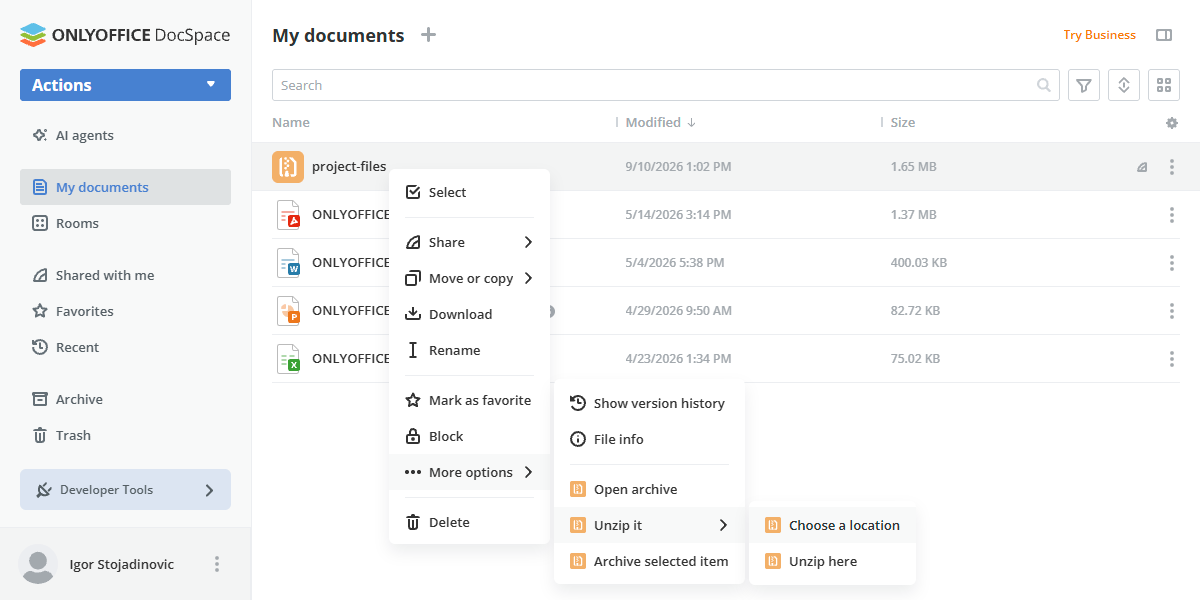
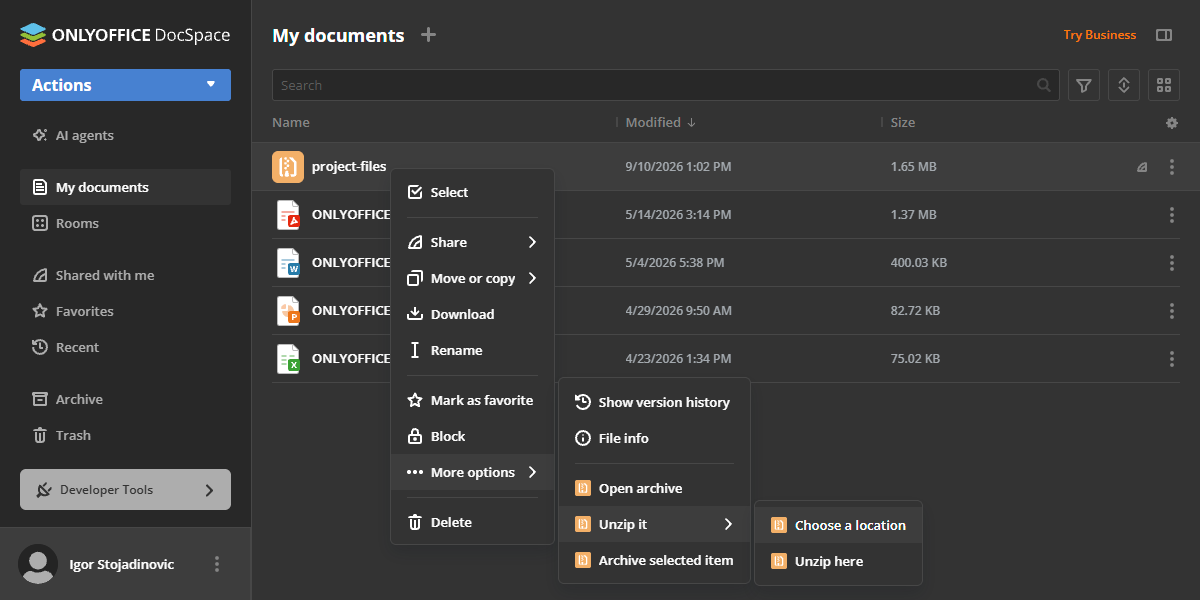
The plugin enables you to work with ZIP archives directly in ONLYOFFICE Apps. To get started, right-click on an archive file and open the More options dropdown menu:
- Open archive - view the contents of the archive without extracting it. You can also extract specific files directly from the preview window.
- Unzip it submenu:
- Choose a location - select a specific folder or room to extract the entire archive into.
- Unzip here - extract the archive directly into the current folder or room where it is stored.
Creating an archive from a folder
To compress a folder into a ZIP archive, right-click the folder in the file list, open the More options → Archive it submenu, and choose an option:
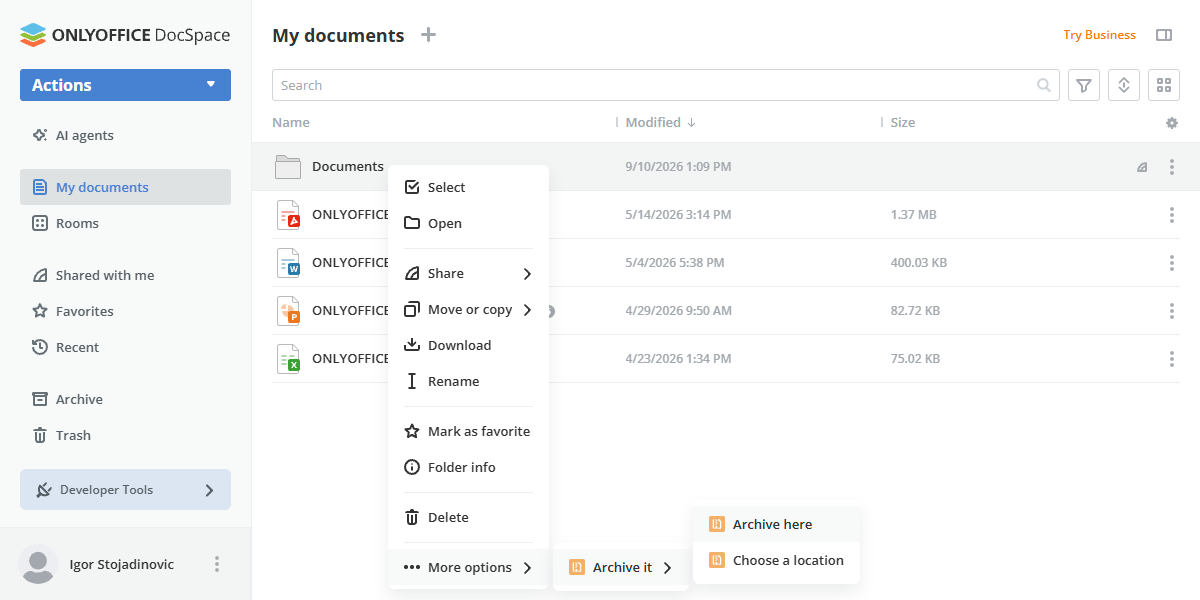
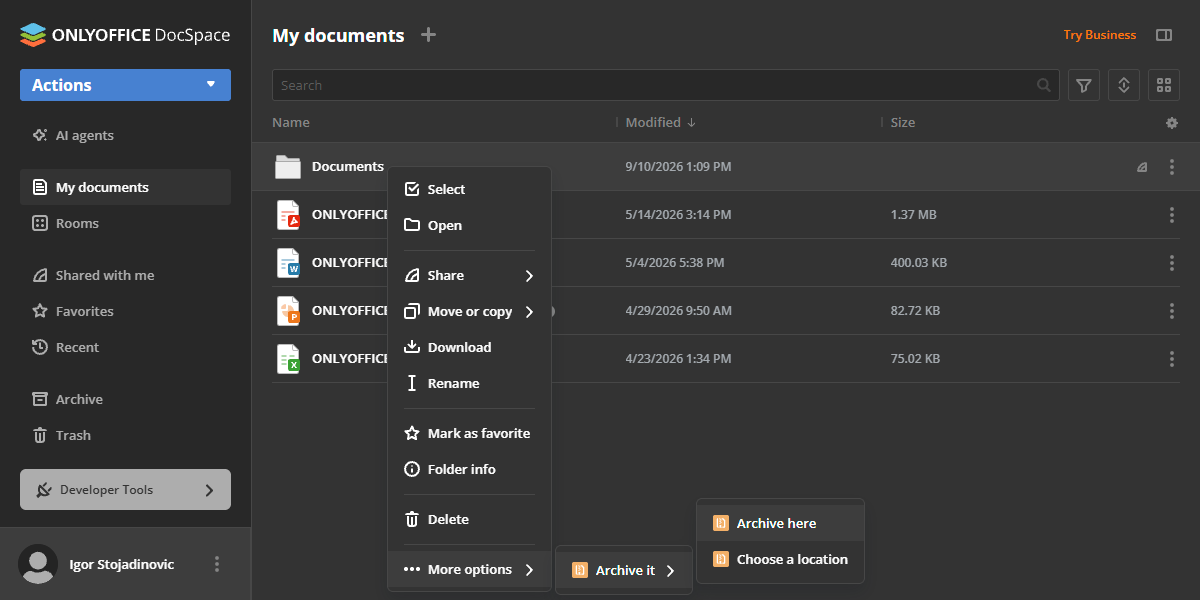
- Archive here - creates a
.zipfile with the same name as the folder, in the folder's parent directory. - Choose a location - creates a
.zipfile with the same name as the folder, in a folder or room you select.
Creating an archive from selected files
You can also archive files, images, or videos directly, without going through a folder:
-
To archive a single item, right-click it and select Archive selected item from the More options dropdown menu.
-
To archive several items at once, select them using the checkboxes, then right-click the selection and choose Archive selected items.
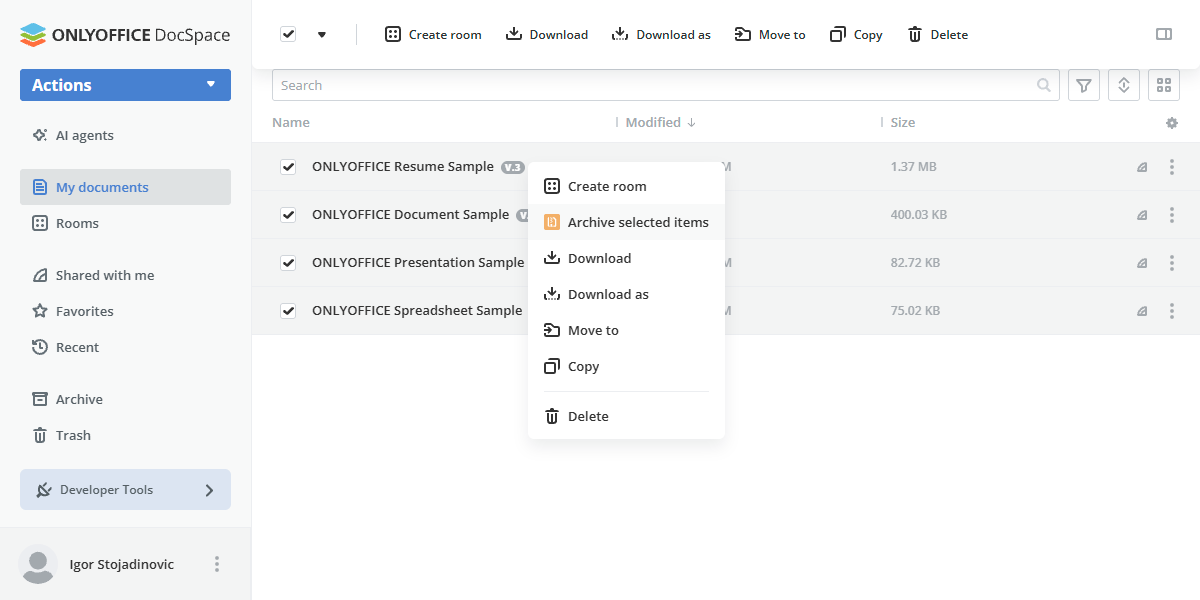
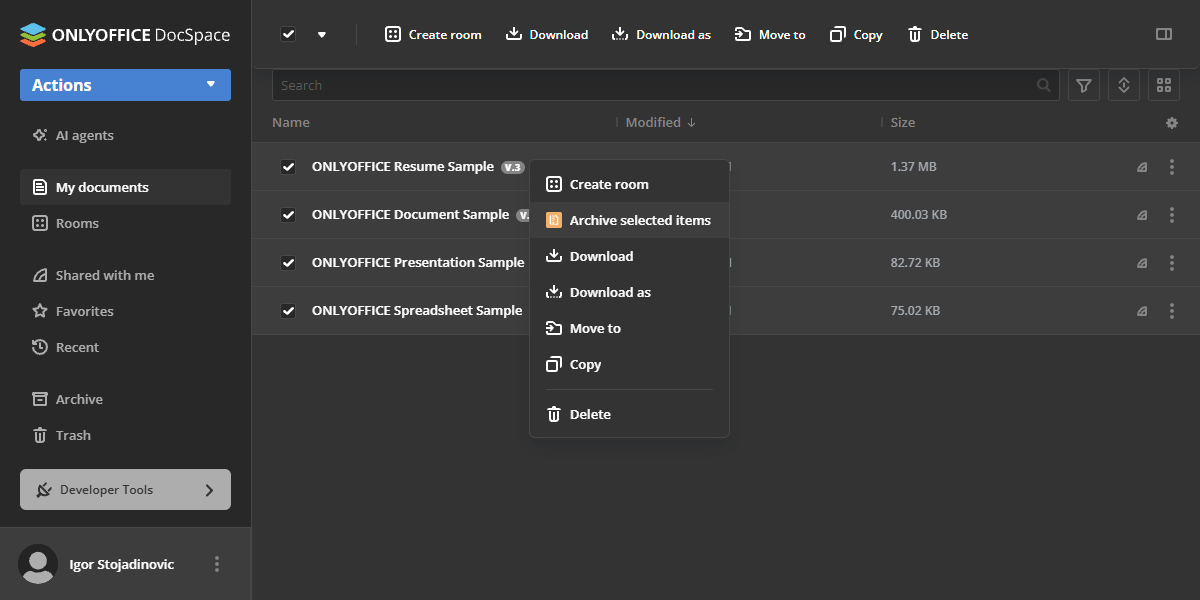
-
The plugin creates a file named
New archive.zipin the same folder.
Plugin structure
Repository on GitHub: archives.
All the required files are described here.
Interfaces
The following plugin interfaces are used:
- IPlugin. Required for each plugin. It contains the plugin status (PluginStatus) variable, used to embed the plugin into ONLYOFFICE Apps.
- IApiPlugin. Required for API interactions with ONLYOFFICE Apps.
- IContextMenuPlugin and IContextMenuItem. Used to implement context menu actions: Open archive; the Unzip it submenu (Choose a location, Unzip here) for archive files; the Archive it submenu (Archive here, Choose a location) for folders; and Archive selected item / Archive selected items for files, images, and videos.
- IFilePlugin and IFileItem. Used to register the
.zipfile type and handle archive operations.
Support
If you want to request a feature or report a bug regarding this plugin, use the issues section on GitHub.