Overview
ONLYOFFICE plugins are web apps built with HTML, CSS, and JavaScript that run inside the document, spreadsheet, presentation, and PDF editors. A plugin can open a panel or a window, add toolbar buttons and context menu items, or run in the background, and it reads and changes the document through the Plugin API. Plugins work in ONLYOFFICE Docs, ONLYOFFICE Apps, and ONLYOFFICE Desktop Editors.
If you prefer to start coding right away, go directly to the quick start or try things out in the interactive playground.
What you can build
Build sophisticated integrations that feel native to ONLYOFFICE.
Perfect for:
- Embedding external content (YouTube, media galleries)
- Third-party integrations (Translator, Zotero, CRM systems)
- Advanced processing (OCR, image manipulation, data visualization)
- Custom workflows (form builders, approval systems, templates)
Development profile:
- Skill: Intermediate | Tech: HTML/CSS/JavaScript
- Distribution: the ONLYOFFICE Plugin Marketplace, built into the editors (how to submit), or private deployment
What plugins cannot do
- Directly access the editor's internal DOM or JavaScript scope
- Access the file system on the user's machine
- Bypass the API to perform operations not exposed by the plugin SDK
This sandboxing is intentional - it keeps the editor stable and secure regardless of what the plugin does.
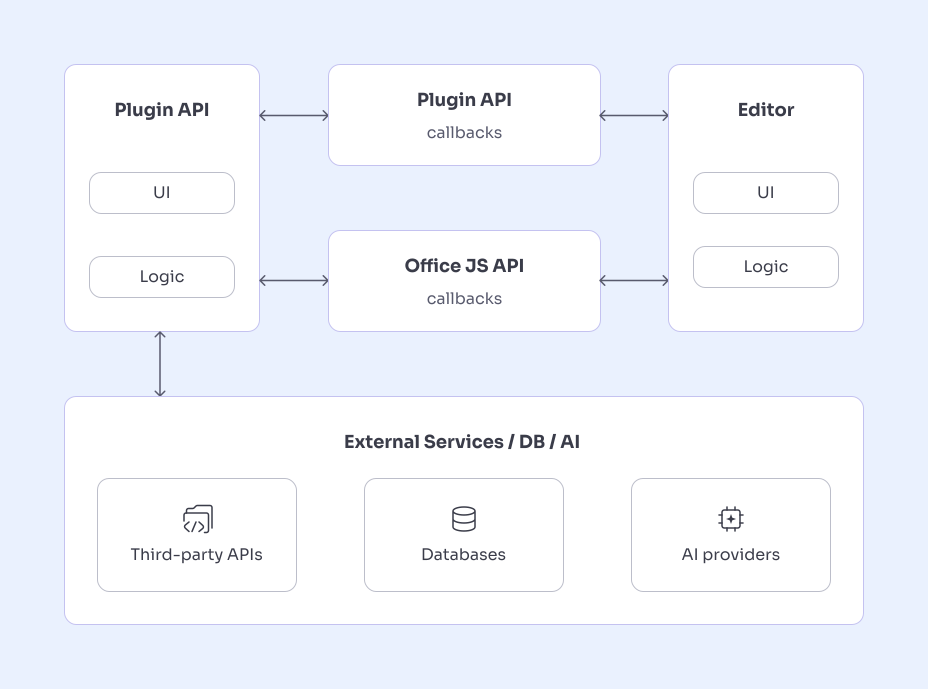
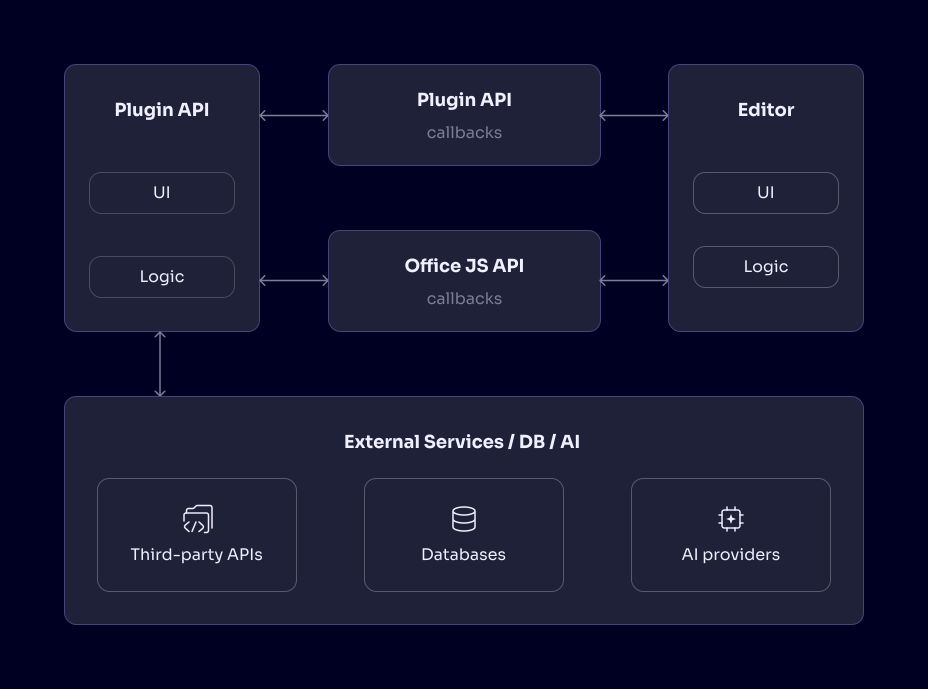
Comparing approaches
Not sure which approach fits your use case? See how plugins compare to macros and custom AI tools.
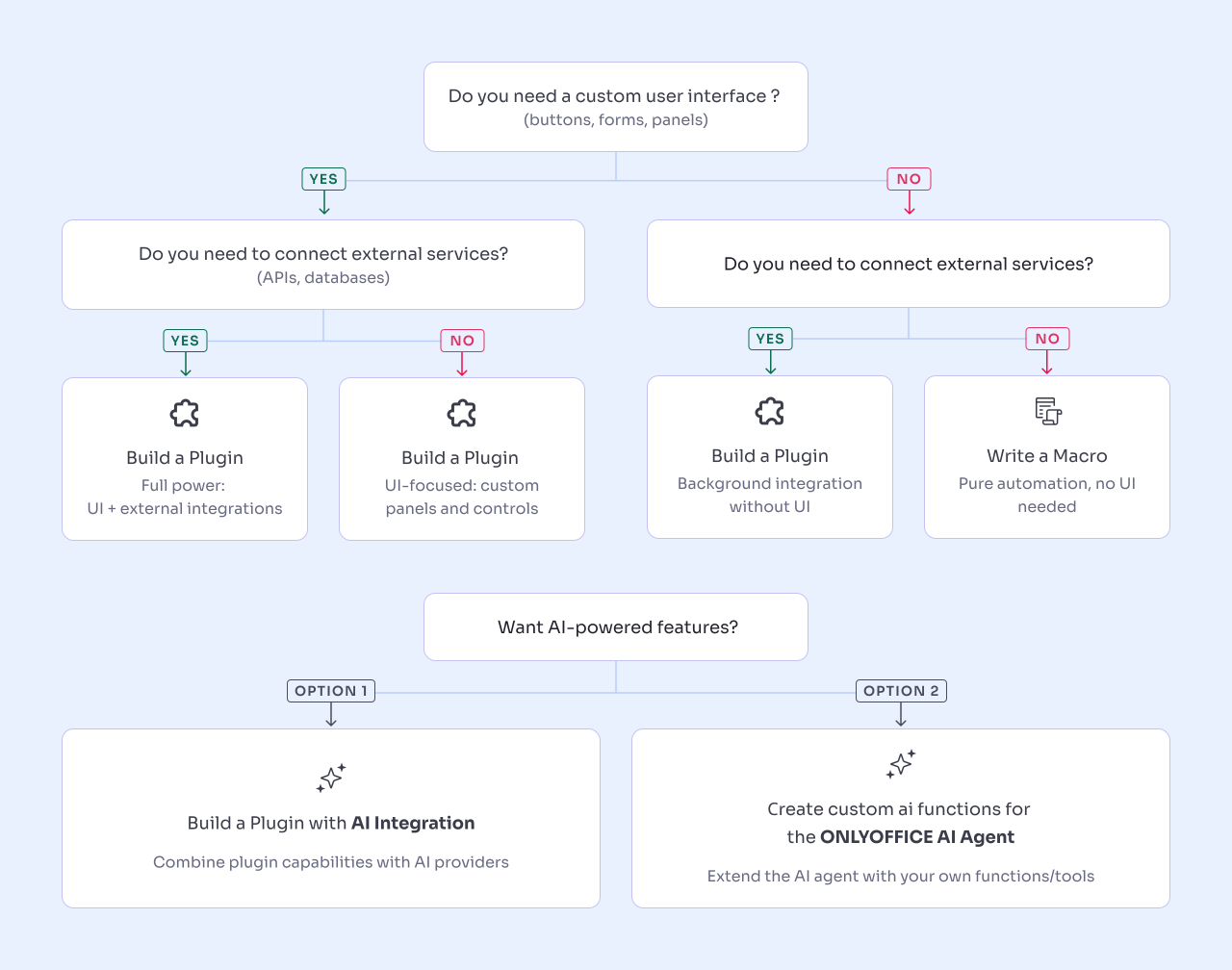
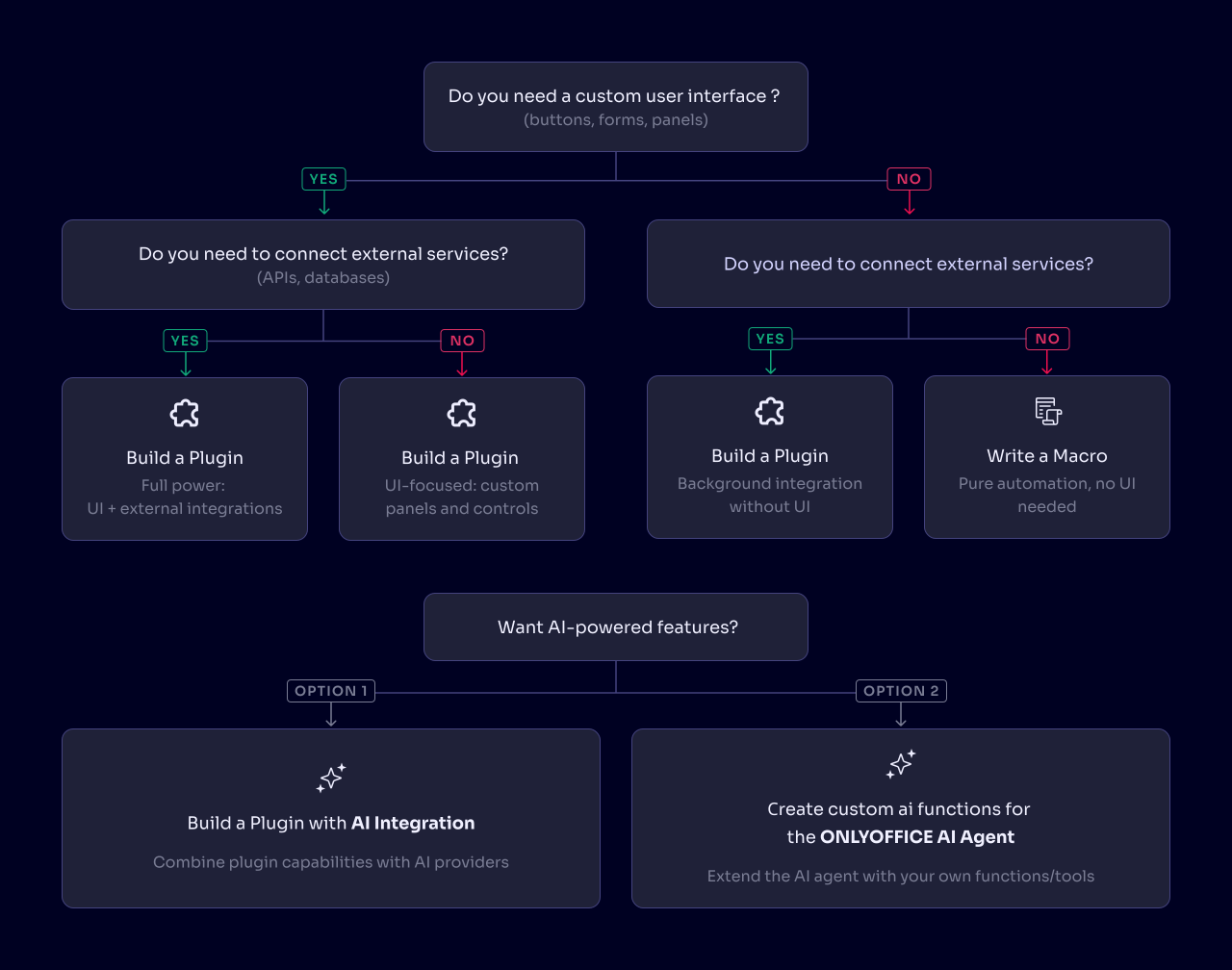
| Feature | Plugins | Macros | AI tools |
|---|---|---|---|
| What is it? | HTML/CSS/JS app embedded in editor | JavaScript code in documents | Plugin + AI provider integration |
| Installation | Required (marketplace or manual) | None (embedded in docs) | Required (like plugins) |
| User interface | ✅ Full custom UI | ❌ No UI | ✅ Full custom UI |
| External APIs | ✅ Yes (REST, GraphQL, etc.) | ❌ No | ✅ Yes (AI services required) |
| Offline use | ⚠️ Depends on features | ✅ Fully offline | ❌ Requires internet |
| Skill level | Intermediate | Beginner | Advanced |
| Distribution | Marketplace, GitHub, private | Copy-paste, templates | Marketplace, private |
| Best for | Reusable tools, integrations | Personal automation | AI-powered features |
| Framework support | ✅ Any (React, Vue, Angular, or plain HTML) | ❌ Plain JavaScript only | ✅ Any (same as plugins) |
Also available: Macros | Custom AI tools
Troubleshooting
If a plugin does not appear, shows a blank window, or an API call fails, see Common errors and solutions for symptoms and fixes, and Debugging plugins for inspecting a running plugin in DevTools.
Still stuck? Ask on the ONLYOFFICE forum or Stack Overflow, or report a bug in GitHub Issues.
Resources
- API reference - Plugin methods, events, and the
window.Asc.pluginobject - Plugin configuration - Every
config.jsonparameter - Interactive playground - Run plugin code without installing anything
- Plugin samples - Working plugins to copy from
- UI component library - Controls styled to match the editors
- Official plugins source code - Complete plugins maintained by ONLYOFFICE
- FAQ - Frequently asked questions
- Changelog - Which version added each method and event