Viewing
To open a document in view-only mode, set editorConfig.mode to "view". The user can read the document but cannot modify it.
Live viewer vs common viewer
ONLYOFFICE Docs supports two viewing modes for documents, spreadsheets, presentations, and PDFs:
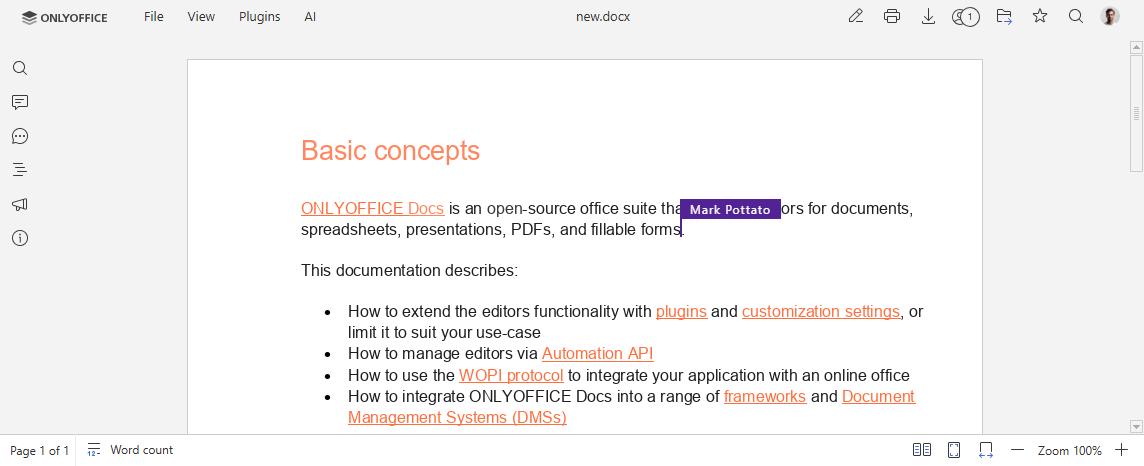
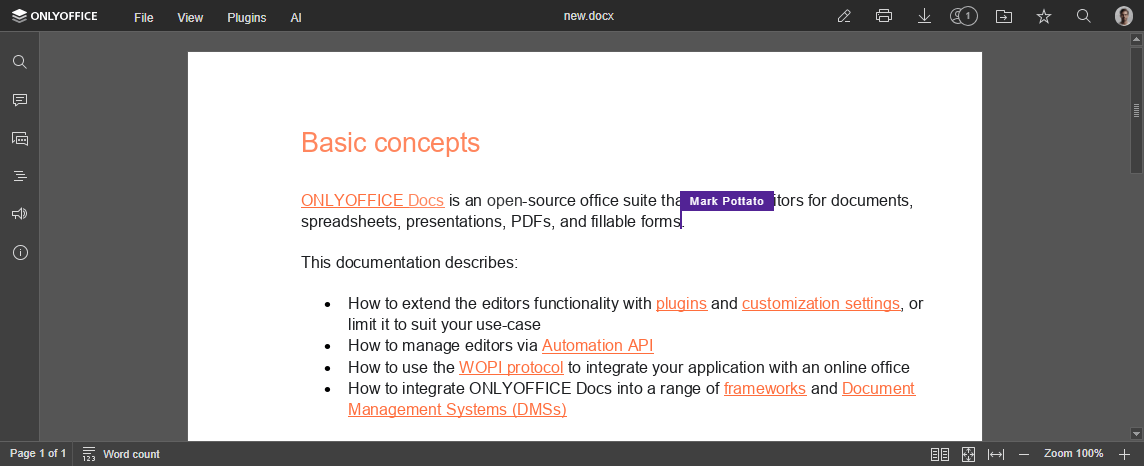
- Live viewer — shows real-time changes from other users who are editing the document, including their cursors. This is the default mode.
- Common viewer — shows a static snapshot of the document. The user does not see other users' edits until the page is reloaded.
The live viewer is available starting from version 7.2. Server connections for the live viewer are counted separately from editing connections and limited by the connections_view parameter in the license. The open source version limit is 20. The live viewer is not available for older licenses.
To control which viewing mode is used, configure the editorConfig.coEditing parameter:
-
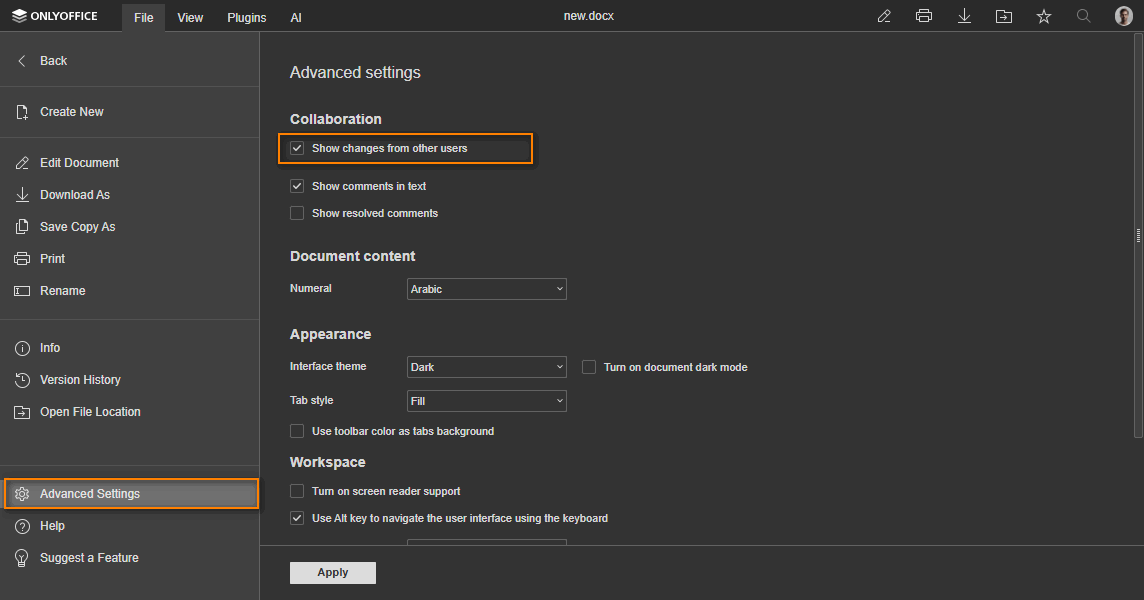
mode: "fast"andchange: true— the live viewer opens by default. The user can switch to the common viewer and back without reloading the page via File > Advanced Settings... > Show changes from other users. This is the default configuration:const config = {editorConfig: {coEditing: {mode: "fast",change: true,},mode: "view",},};const docEditor = new DocsAPI.DocEditor("placeholder", config);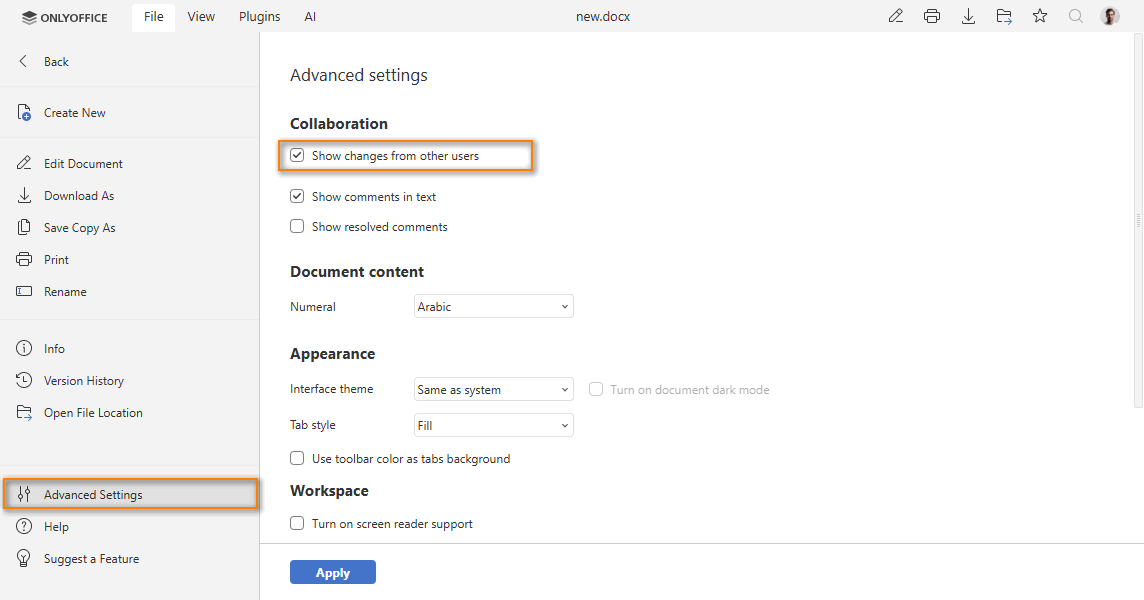
-
mode: "fast"andchange: false— the live viewer opens by default. The user cannot switch to the common viewer:const config = {editorConfig: {coEditing: {mode: "fast",change: false,},mode: "view",},};const docEditor = new DocsAPI.DocEditor("placeholder", config); -
mode: "strict"andchange: true— the common viewer opens by default. The user can switch to the live viewer via File > Advanced Settings... > Show changes from other users:const config = {editorConfig: {coEditing: {mode: "strict",change: true,},mode: "view",},};const docEditor = new DocsAPI.DocEditor("placeholder", config); -
mode: "strict"andchange: false— the common viewer opens by default. The user cannot switch to the live viewer:const config = {editorConfig: {coEditing: {mode: "strict",change: false,},mode: "view",},};const docEditor = new DocsAPI.DocEditor("placeholder", config);
In the live viewer, the cursors of other users are displayed. Configure which users' cursors are visible with the document.permissions.userInfoGroups parameter.
In the common viewer, the document is displayed as a static snapshot:
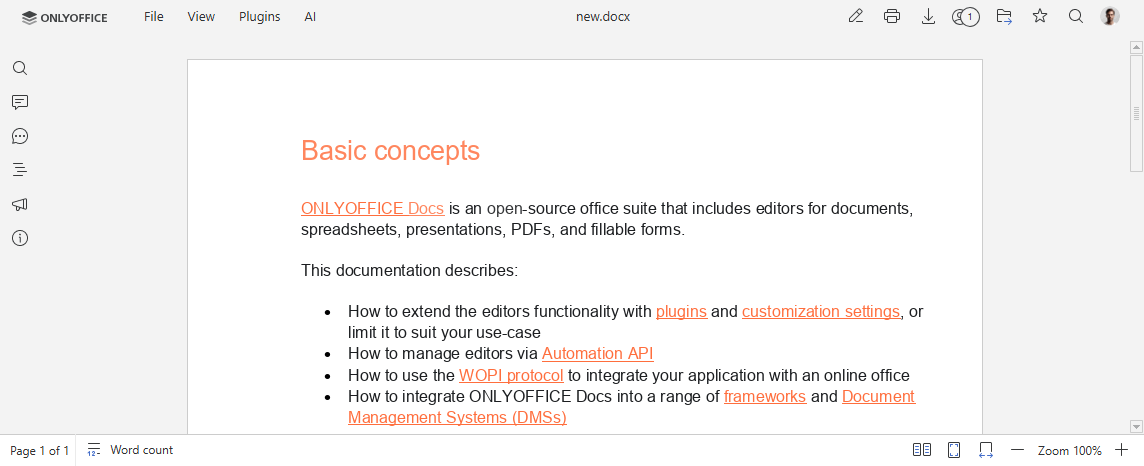
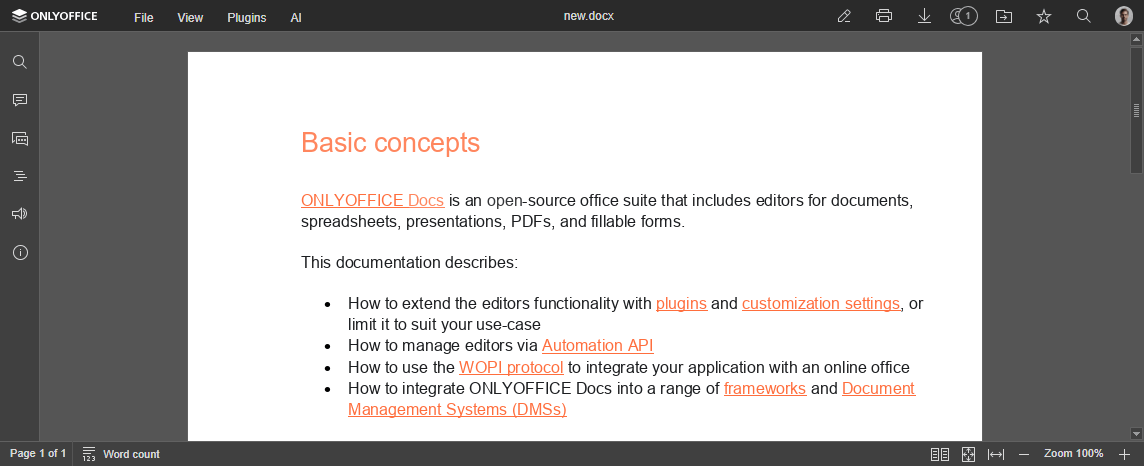
Only the common viewer is used in the following cases:
- in the embedded mode;
- with WOPI;
- when opening
.djvuor.xpsformats.
Mobile editors support the same viewing modes and coEditing configuration as the web version.